
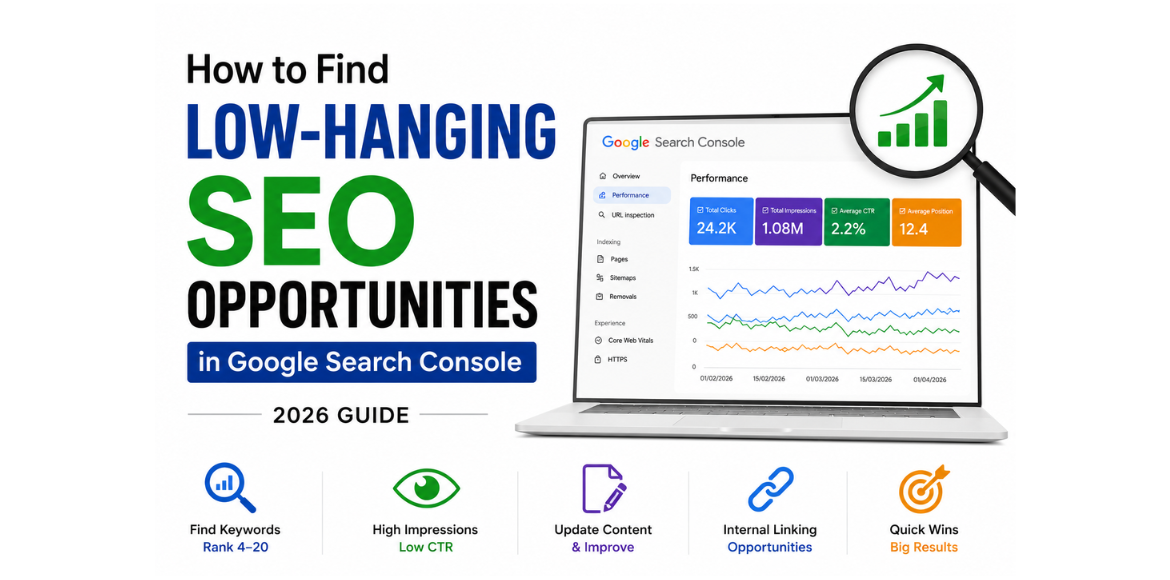
Did you know that the secret to boosting your website’s traffic might already be hiding in your Google Search Console data? For many website owners, the Performance report is just a dashboard—a place to track clicks and impressions. But if you look closer, it’s a goldmine of low-hanging keywords just waiting to be optimized.
In this guide, we will walk you through a step-by-step process to use Google Search Console (GSC) to find these easy SEO wins. You’ll learn exactly how to identify, prioritize, and optimize for keywords that can bring you significant traffic with minimal effort.
What Are Low-Hanging Keywords?
In the world of SEO, low-hanging keywords are search terms that are relatively easy to rank for . Think of them as fruit on the lower branches of a tree—they are within easy reach and can be picked quickly.
These keywords typically have low competition but still possess significant potential to attract traffic to your site. While they often include long-tail keywords (more specific phrases like “best coffee machines for small kitchens”), they can also be shorter terms where your site is already on the verge of ranking higher . The core idea is to find queries that your website already has visibility for, allowing you to make small, targeted optimizations to climb the rankings.
Why Target Low-Hanging Keywords in GSC?
Your website’s data in Google Search Console provides a unique advantage for finding these opportunities.
- Real Data, Not Estimates: Many SEO tools estimate search volume and competition. GSC shows you the exact queries people used to find your site and how your site performed for them .
- Quick Wins: Instead of creating new content from scratch for a new keyword, you can optimize existing pages for terms you are already ranking for on the second page of results. Pushing these to page one can yield fast traffic gains .
- Understanding Search Intent: GSC data helps you see the exact language your audience uses and the pages they land on. This is crucial for aligning your content with user intent, which is key to improving your click-through rates and conversions .
How to Find Low-Hanging Keywords in Google Search Console
Here is a practical, step-by-step guide to using Google Search Console for uncovering your easiest keyword wins.
Step 1: Identify Your “Striking Distance” Keywords
The first step is to find keywords where you are close to achieving a top-ranking spot. Your target here is keywords ranking on page two of Google’s search results (positions 11-20) .
How to do it:
- Log in to your Google Search Console and navigate to the Performance report.
- Scroll down to the Queries section.
- Click + Add Filter and select Average Position.
- Set the filter to show positions from 11 to 20. This filters the data to show only the keywords on the second page .
These are your classic low-hanging keywords. You already have some visibility; you just need to make a few tweaks to get them onto the first page.
Step 2: Spot “High Impressions, Low CTR” Opportunities
A low-hanging keyword isn’t just about ranking position. Sometimes, you are ranking well (e.g., position 4-10), but you aren’t getting the clicks you deserve. This is often a problem with your page’s title or meta description .
How to do it:
- In the Performance report, ensure you are looking at the Queries tab.
- Sort your queries by Impressions (highest first) to see what people are searching for.
- Look for keywords with a high number of impressions but a very low CTR (Click-through Rate). You can add a filter for
CTR < 1%to find these quickly .
Even if you’re ranking on the first page, a low CTR means you’re missing out on potential visitors. Optimizing your title tag and meta description to better match the user’s search intent can lead to a significant traffic boost.
Step 3: Uncover “Hidden Gems” with the Mobile Filter
User behavior often differs between desktop and mobile. You might be missing out on keywords that your mobile audience is using .
How to do it:
- In the Performance report, click + Add Filter.
- Select Device and choose Mobile.
- This will show you the search queries that led mobile users to your site .
Look for patterns like question-based queries or “near me” searches that are performing well on mobile but might not have a dedicated page. This is a fantastic way to uncover content gaps specifically for your mobile audience .
Step 4: Use Regex to Filter Out “Noise” (Advanced)
As you start analyzing your GSC data, you’ll notice that branded searches can sometimes clutter the picture. For example, if your brand is “example.com,” many queries might be for your brand name. These are often less useful for finding new keyword opportunities .
How to do it:
GSC allows you to use Regular Expressions (Regex) in its filters, giving you very precise control over your data .
- In the Performance report, add a Query filter and choose Custom (regex).
- Use “Does not match regex” to filter out branded terms.
- A simple example:
example.com|company namewill remove any queries containing those specific terms, allowing you to focus on non-branded discovery keywords .
Prioritizing Your Keyword Goldmine
Once you have a list of promising keywords, you need to decide which ones to act on first. Prioritization is key to using your time effectively.
- Relevance: Does this keyword align with your business goals? A high-traffic keyword that is irrelevant to your products or services won’t lead to conversions .
- Search Intent: Is the user trying to buy something, learn something, or find a specific website? If someone is searching for “how to fix a leaky tap” and they land on your “plumbing services” page, the intent is mismatched. Prioritize keywords where you can clearly meet the user’s need .
- Potential Impact: Look for keywords with a high number of impressions. If you can improve your CTR for these keywords, you will see a significant increase in traffic.
How to Optimize for Your Low-Hanging Keywords
Finding the keyword is only half the battle. Here’s how to make the optimization process a success.
Optimize On-Page SEO
This is often the quickest way to make a difference.
- Update Title Tags and Meta Descriptions: For keywords with low CTR, rewrite your title tag to be more compelling and include the target keyword naturally. Use power words, numbers (e.g., “10 Best…”), or the current year . Your meta description should act as a convincing ad for your page.
- Improve Content Quality: For page-two ranking keywords, add more depth to your existing content. Answer related questions, add new sections (like an FAQ), and include more recent information and examples .
- Add Internal Links: Strengthen a page’s authority by linking to it from other high-traffic pages on your site. This signals to Google that the page is important and can help push it to page one .
Create New Content
Sometimes, the best action is to create a new, highly-focused piece of content .
- If you see a query with high impressions but no dedicated page, this is a clear signal to create one.
- Write blog posts that directly answer questions your audience is asking. Use the keyword in your H1 and H2 headings naturally.
- For a keyword rising in popularity, consider creating a comprehensive guide or ultimate resource on that topic .
Conclusion
You don’t need expensive SEO tools to find and secure valuable keywords. As we’ve seen, Google Search Console is a powerful, free resource that provides the actual data you need to uncover quick, impactful SEO wins .
By consistently reviewing your Performance report for striking-distance keywords, CTR improvement opportunities, and mobile trends, you can turn your SEO efforts into a targeted strategy that delivers real results. Start digging through your GSC data today—your best low-hanging keywords are waiting.